Short answer: changing the key of a song means moving every note up or down by the same amount, and that is called transposing. With the right tool the tempo does not move: the song does not speed up or slow down, it simply plays lower or higher. You shift in semitone steps until the song sits inside your vocal range or falls under your fingers.
This guide covers why you would change a key, how to decide how many semitones to shift, how transposing relates to a capo, and where pitch shifting starts to sound artificial.

What a key is, and what transposing means
A song's key is the note everything else orbits. When we say a track is "in A minor", we mean the melody and the chords are drawn from the A minor scale.
Transposing moves that centre, and every note with it, by the same distance. Pull a song down two semitones and A minor becomes G minor; melody, chords and bass all drop with it. Nothing inside the song changes: the chord order, the intervals and the character stay exactly as they were. It just starts from a lower place.
The unit is the semitone: two neighbouring keys on a piano, one fret on a guitar. Most of the time the shift you need sits between −3 and +3 semitones.
Why pitch and tempo are two separate things
On old playback the two were stuck together: slowing a record down also made it sound lower, because you were changing how fast the disc turned. Modern audio processing splits them apart:
- Pitch (key) change: notes move up or down, the length stays the same. The song runs at its original speed.
- Tempo change: the song gets slower or faster, and the notes keep their original pitch.
Mixing the two up is the most common mistake. Learning a fast solo calls for a tempo change, covered separately in the guide on slowing a song down without changing pitch. Struggling to sing a song calls for a key change. You can also use both at once: drop a song two semitones and play it at 70% speed.
Four real reasons to change a key
1. The song sits outside your vocal range. Easily the most common reason. If you cannot reach the high notes in the chorus, or the verse disappears into the bottom of your voice, moving the song a few semitones makes it singable. This is not cheating: professional recordings are placed to fit the singer in exactly the same way.
2. The chords are awkward on your instrument. Some keys arrive full of barre chords on guitar, or five flats on piano. Shifting a song one or two semitones can turn the same part into open chords or white keys.
3. You play a transposing instrument. Several wind instruments sound in a different key from the written note. Moving the track to your instrument's key removes the constant mental translation.
4. You are meeting a band in the middle. If the singer has changed, moving a track to a key everyone is comfortable in saves a whole rehearsal.
Step by step: changing the key of a song
The workflow below is how it works in VoxoMix; the logic is the same whatever tool you use.
1. Open the song and split it into channels
Load your audio file. VoxoMix processes the song on your own machine and splits it into Vocals, Drums, Bass, String Instrument (guitars land here), Keyboard Instrument and Other Instrument. How many channels you get depends on your plan: 4 on the free plan, 6 on Basic, 6+ on Student and Producer.
Splitting helps twice over: you hear the shift clearly on one instrument at a time, and afterwards you can mute your own part and play it yourself.
2. Find the key the song is in now
To know where you are going, you need to know where you started. The chord finder pulls the chords out of the track, and the chord timeline shows what the song orbits. The piano view is available on the free plan; guitar diagrams arrive with Student. We walk through reading and verifying chords in the guide on finding the chords of a song.
3. Decide how many semitones to move
If you are a singer, trial and error is the fastest method and it works:
- Play the highest note of the chorus and sing along.
- If you are straining, drop the key one semitone and sing the same spot again.
- Keep dropping one semitone at a time until it feels comfortable.
- Once it does, check the verse too, because dropping too far makes the low notes disappear.
The right key is where the chorus comes out without strain and the verse is still audible — usually a window 2–4 semitones wide.
If you play an instrument the goal is different: move the song into a key that is easy to play. Look at the chord timeline, work out how many semitones land you on open chords, and shift by that much.
4. Shift it in the transpose panel

Move the key up or down in semitone steps from the Transpose panel. The change is real time, so you can shift mid-playback and hear the difference immediately. If you lose your bearings, Reset to Original Key takes you back in one tap.
Key changing is available on the Basic, Student and Producer plans.
5. Check it with your ears
Trust your ears, not the number on the screen. Play the song through once in the new key and listen for:
- Do the vocals still sound natural, or do they sound "shifted"?
- Has the bass line gone woolly?
- Have the drums stayed put? (They should; percussion moves very little in pitch.)
6. Mute your part and play
This is where the payoff is. Mute your own instrument's channel (the M button) or solo it (S), and work through the song in the new key. On Student and Producer the Record channel is open too: monitor the backing through headphones, record your own playing or singing, then listen back and compare.
Is a capo the same as transposing?
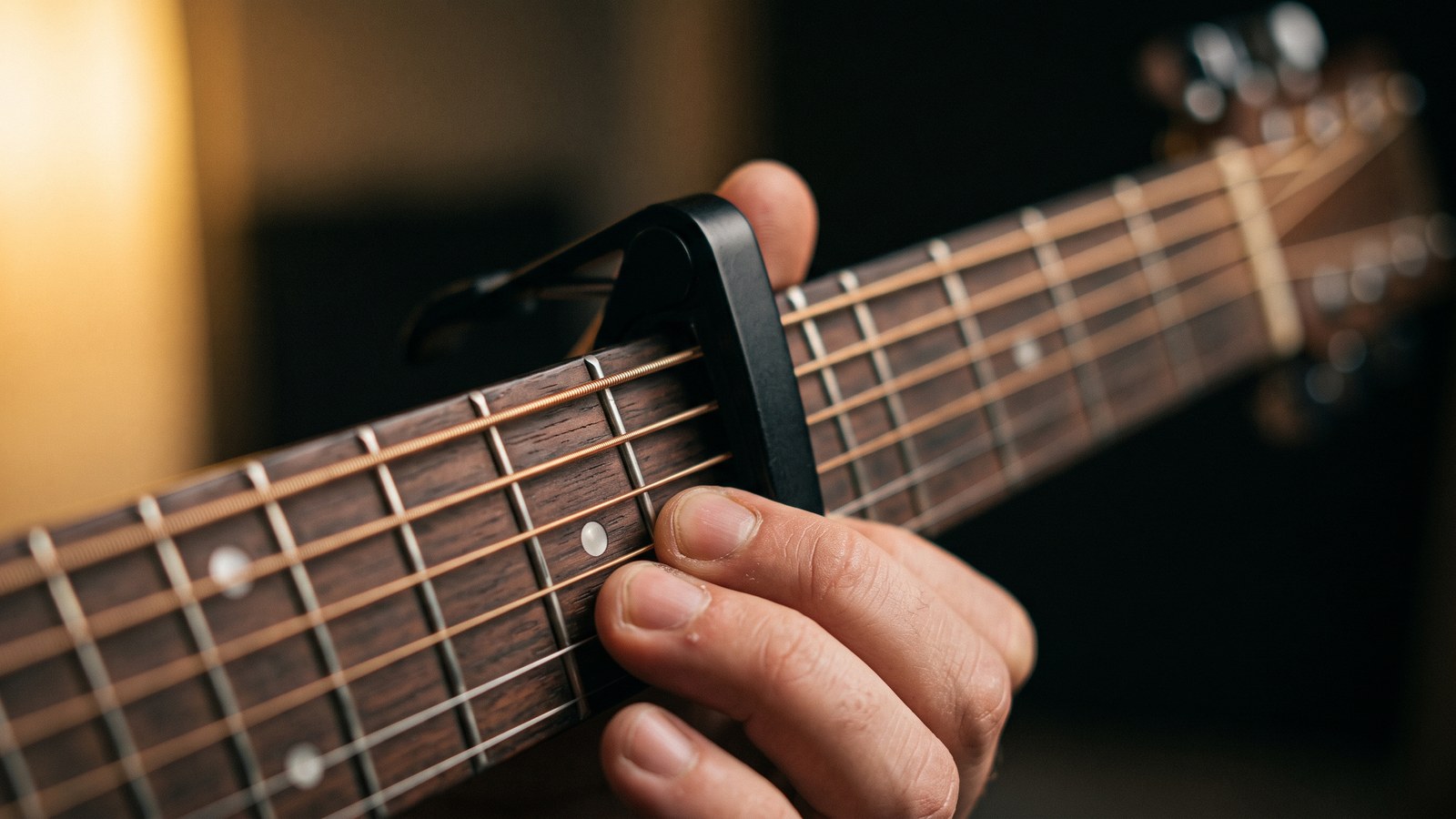
Close relatives, but not the same thing. A capo does not change the key of the recording; it changes the shapes you play. Clamp it on the second fret, play the same open shapes, and what comes out is two semitones higher. So a capo moves the key up and leaves you with easy shapes.
Transposing moves the recording itself. If you have no capo, or you need the song lower, a capo cannot help — it only goes up.
The two work best together: transpose into a key with easy chords, then move the capo a fret or two so it lands where your voice wants it.
The honest limits of pitch shifting
Shifting a key is not arithmetic on a page; it is a rebuild of the audio, and that comes with limits:
- Small shifts are clean, big ones are not. Up to about ±3 semitones the difference is barely audible. Past 5–6 semitones, vocals in particular start losing their natural quality.
- The human voice is the most fragile channel. Far up it sounds thin and artificial; far down, heavy and slow. Your ear catches this well before it does on instruments.
- Source quality carries through. Start with a low-bitrate file and shifting the key magnifies its flaws.
- Dense mixes can leave traces. On heavily layered recordings a faint phasing quality after a shift is normal.
Rule of thumb: try the smallest shift first. If it works, do not go further.
Common mistakes
- Confusing the tempo control with the key control. If the song speeds up or slows down, you are in the wrong panel.
- Deciding without hearing the original. Use Reset to compare before you call it done.
- Judging by the chorus alone. The key that frees up your chorus may bury the verse.
- Still reading the old chords. The chords moved with the recording — read the timeline in its new state.
- Starting from scratch every time. The shift that suits your range tends to be similar across songs; find it once and write it down.
What each plan includes
| Feature | Free | Basic | Student | Producer |
|---|---|---|---|---|
| Songs per month | 2 | 10 | 50 | Unlimited |
| Max length | 4 min | 5 min | 7 min | Unlimited |
| Channel separation | 4 | 6 | 6+ | 6+ |
| BPM + metronome | ✔ | ✔ | ✔ | ✔ |
| Chord finder | Piano | Piano | Piano + guitar | Piano + guitar |
| Key change | — | ✔ | ✔ | ✔ |
| Lyrics transcription | — | ✔ | ✔ | ✔ |
| Tuner | — | — | ✔ | ✔ |
| Export | — | MP3 | MP3 + PDF | MP3 + lossless WAV + MIDI + PDF |
Pricing: Basic $2.99/mo · Student $8.99/mo · Producer $13.99/mo, with a free 14-day Producer trial. VoxoMix runs on macOS (M1–M5) and Windows 10/11, and everything is processed on your own computer, so your song is never uploaded to a server.
Frequently asked questions
Does changing the key change the tempo too?
No. Modern pitch shifting separates pitch from tempo, so the song runs at its original speed and simply plays lower or higher. Changing the tempo is a separate control.
How many semitones can I shift?
You can shift across a wide range, but in practice ±3 semitones leaves almost no trace. Past 5–6 semitones you hear a loss of naturalness, especially in vocals. Try the smallest shift first.
Can I change the key on the free plan?
No. The free plan lets you process 2 songs a month up to 4 minutes each, split them into 4 channels, and use BPM, the metronome and the piano chord finder. Key changing opens up from the Basic plan.
How do I find the right key for my voice?
Play the highest part of the chorus and sing along. If you strain, drop one semitone at a time until it is comfortable, then check the verse, because dropping too far makes the low notes vanish. The right key is where the chorus is easy and the verse is still audible.
Can I transpose instead of using a capo?
Yes, and it is more flexible: a capo can only raise the key, while transposing can go down too. You can also combine them: transpose into a key with easy chords, then use the capo for fine tuning.
Do the chords change when I change the key?
Yes — the chords you play move by the same amount. Read the chord timeline after the transpose, not before; the chord finder shows it in the new key.
Conclusion
Changing the key is the fastest way to make a finished recording fit your voice and your instrument. Remember three things: key and tempo are separate controls · start with the smallest shift · make the call with your ears, not the number on screen.
Then do not stop there — mute your own part, play over it, record yourself. For the whole workflow end to end, the complete guide to practising any song is a good next step.
Download VoxoMix for free and move your first song into your own key today.
Download Free